A practical comparison of a Microsoft Copilot-in-Word approach versus a proprietary, “closed” AI inside standalone proposal applications on the web.
Proposal and RFP teams are getting a flood of “AI-powered” pitches. But not all AI is delivered the same way—and the delivery model matters as much as the model itself. One approach keeps authors working in Microsoft Word, using Microsoft Copilot for drafting and refinement while a Word-native proposal automation platform handles consistent assembly, reusable content, formatting, and compliance. The other approach pushes teams into a vendor’s application where the AI experience is proprietary and largely closed within that platform.
Two paths to Artificial Intelligence in Proposal Creation
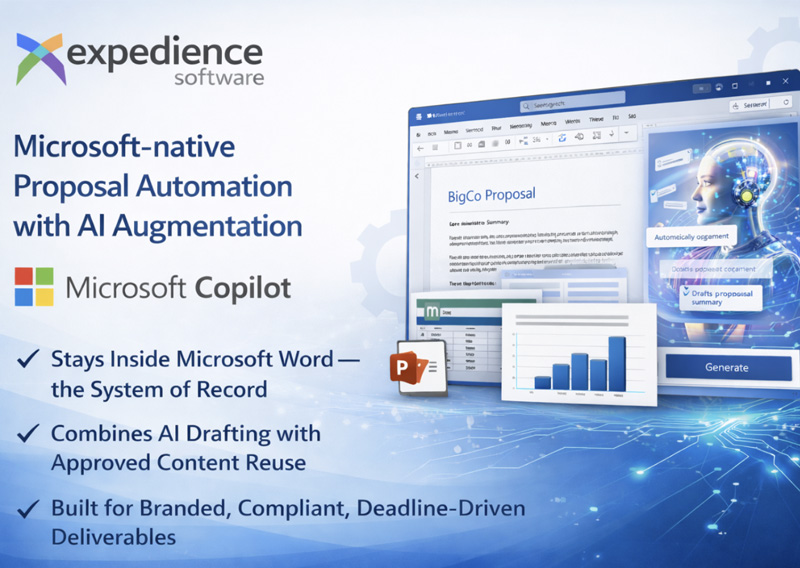
- Path A: Copilot + Word-native automation (Copilot in Microsoft Word).Authors stay in Word. Copilot helps draft, rewrite, summarize, and tailor language. Expedience automates proposal creation and reuse of approved content, directly inside Word, including complex formatting and embedded objects (tables, images, Excel and PowerPoint elements). This approach keeps the human writer in control and in the loop.
- Path B: Closed, proprietary AI inside a vendor platform.Authors move into a web app or standalone RFP tool where the AI features, data flow, and outputs are controlled by the vendor’s application—and are often difficult to validate, export, govern, or reuse outside that environment.
Why the delivery model matters
RFP responses are rarely “just text.” They’re branded, formatted, version-controlled business documents built by many contributors under deadline. The question isn’t only “Can AI write a draft?” It’s “Can our team produce a compliant, accurate, consistently formatted deliverable—without creating new security risks or new tool sprawl?” That’s where Word-native automation plus Copilot can offer a structural advantage over closed AI platforms.
Transform Business Proposals
More than speed, winning proposals demand accuracy and control. Expedience delivers all three directly within Microsoft Word.
Book a demo to see how!
Side-by-side comparison
| What you’re optimizing for | Copilot + Word-native automation tools | Closed / proprietary AI in a vendor web platform |
|---|---|---|
| Author experience & adoption | Work where teams already work: Word for authoring; Teams/SharePoint/OneDrive for collaboration. | Requires switching into a separate UI and retraining SMEs and reviewers; “last-mile” editing often happens in a closed platform. |
| Document fidelity (formatting, brand, complex objects) | Word-native creation and assembly supports rich formatting and complex proposal objects inside the deliverable. | Often optimized for text/Q&A workflows; exporting to Word/PDF can introduce reformatting and cleanup work. |
| Quality control | Let Copilot draft content, while automation ensures approved content blocks are reused consistently. | AI-generated outputs can vary run-to-run; governance depends on vendor controls and may require extra review. |
| Data governance & security | Proposal automation is designed to keep content in native Microsoft formats and under your file permissions; does not require hosting your content in an external database. | Content and prompts may flow through vendor cloud systems; policy alignment and audits depend on the vendor’s architecture and transparency. |
| Portability & lock-in risk | Your deliverables and content stay in familiar formats; easier to reuse and migrate. | Risk of vendor-specific formats/workflows; exporting may lose metadata, structure, or automation logic. |
| Future-proofing | Leverages Microsoft’s pace of innovation in Word/Copilot while keeping proposal automation focused on a repeatable process. | Innovation roadmap is tied to a single vendor; AI capabilities may be opaque, lag behind the market standards, or change without controls you can tune. |
Key benefits of Copilot + Word-native proposal automation
- Lower friction: authors, SMEs, and reviewers stay in Word
Most proposal teams already have a mature Word-centric workflow: tracked changes, styles, section control, template discipline, and shared review cycles. A Word-native approach reduces the “context switching” tax—especially for occasional contributors. Customers choose a Word-native system because they create complex proposals in Word and don’t want to abandon a well-known platform; collaboration continues in tools like Teams, SharePoint, and OneDrive rather than moving into a separate, vendor specific, authoring universe. - Best of both worlds: generative drafting + reliable reuse
Generative AI is excellent for first drafts, tone shifts, and summarization—but it can also be inconsistent. That’s why many teams separate “creation” from “reuse.” Proposal automation is rules-based (approved content reused predictably), while generative AI is probabilistic (new text that must be reviewed each time). In practice, Copilot can help you tailor language to an opportunity, while Word-native automation ensures your vetted content, assumptions, resumes, and process/product descriptions remain consistent and compliant. - Higher document fidelity: proposals are more than Q&A text
Closed RFP platforms can be strong at managing question/answer workflows, but proposals still need to look like proposals. A Word-native system can automate a client-facing, branded, richly formatted document, including elements you can place in Word such as images, tables, and embedded Excel spreadsheets or PowerPoint slides. Keeping assembly and formatting inside Word reduces the common “export-to-Word, then fix everything” scramble. - Governance and security: keep content under your controls
For many teams, the biggest question is where proposal content and prompts live. In a Microsoft-based approach, solutions are delivered using native Microsoft Word files and templates, allowing organizations to store content libraries wherever they choose, including SharePoint, OneDrive, or behind their own firewall. Proposal data remains in standard Microsoft formats and does not require copying content into a proprietary application or external platform. Compared with closed systems that centralize content in a vendor-controlled layer, this model can simplify security reviews and reduce lock-in concerns, subject to an organization’s Copilot and Microsoft 365 governance policies. - Future-proofing: ride the Microsoft roadmap without rebuilding your process
When AI is delivered through the tools your business already standardizes on, you benefit from the vendor’s ongoing investment—new Copilot capabilities, security controls, and admin governance features—without waiting for a niche application to catch up. Meanwhile, proposal automation stays focused on what it does best: assembling curated content, enforcing structure, brand identity, and accelerating repeatable steps.
Evaluation checklist (questions to ask any vendor)
- Where does drafting happen? In Word, or in the vendor app with an export step?
- What data leaves our tenant? What is stored, for how long, and what is used for training (if anything)?
- Can we keep content in standard formats? What happens if we leave—do we keep structure, metadata, and reusable content?
- How do you separate “approved content” from “AI-generated content”? What controls prevent accidental reuse of outdated or unapproved language?
- How is document fidelity handled? Styles, numbering, tables, images, embedded spreadsheets/slides, and final PDF output.
- What is the governance model? Roles, permissions, audit logs, and how reviewers validate outputs.
- How do you integrate with Microsoft 365? Teams, SharePoint/OneDrive, Outlook, and your existing security tooling.
Bottom line
If your team’s “system of record” for proposals is Microsoft Word, a Copilot a Word-native automation model can be the most pragmatic way to add AI without breaking proven processes. It combines fast drafting help (Copilot) with repeatable, governed reuse (proposal automation), while keeping the final deliverable in the tool customers actually receive: a Word document (and PDF). If you’re evaluating platforms, ask every vendor to demonstrate not only the AI demo—but also the last-mile reality: branded formatting, collaboration, governance, and how easily you can take your content with you.